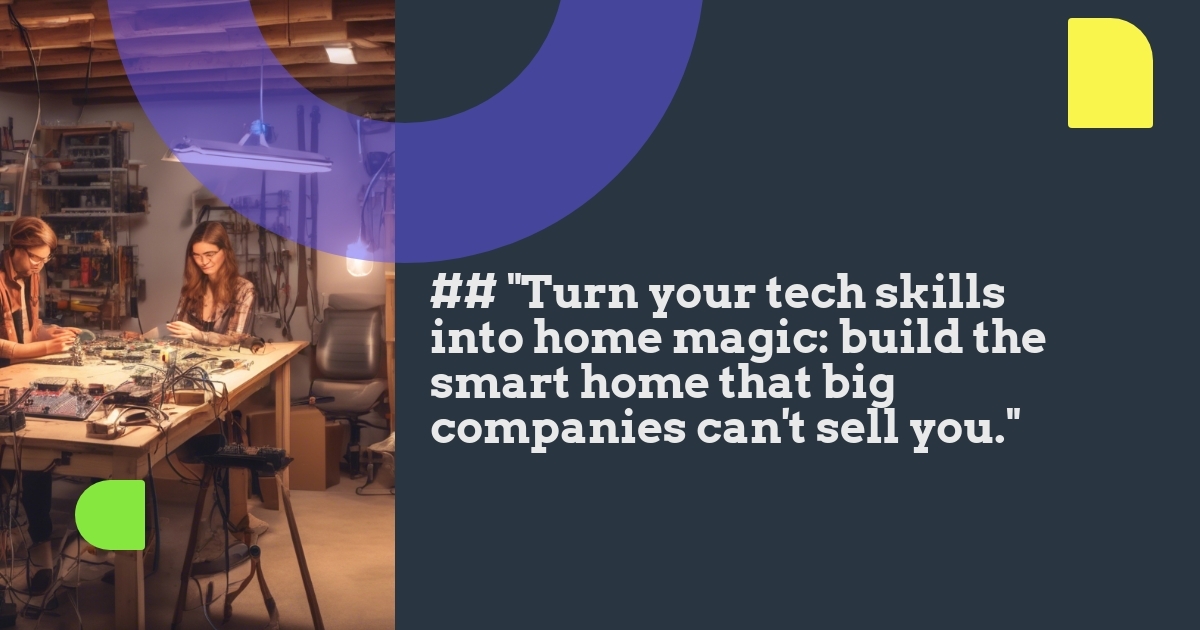
The world of smart home automation extends far beyond purchasing ready-made products from big tech companies. With just a few accessible tools and some basic skills, you can create custom solutions tailored precisely to your home’s unique needs—often at a fraction of the cost of commercial alternatives. Welcome to the DIY smart home workshop, where we’ll explore how maker-friendly platforms can transform your automation dreams into reality, no computer science degree required.
Why Build Your Own Smart Home Solutions?
Commercial smart home products are convenient but come with limitations. They work within specific ecosystems, sometimes require expensive hubs, and rarely offer the exact functionality you need. When you build custom solutions, you gain:
- Complete control over functionality and design
- Significant cost savings compared to commercial alternatives
- Freedom from ecosystem lock-in and subscription fees
- Privacy benefits since your data stays within your home network
- The satisfaction of creating something yourself
Plus, DIY smart home projects are scalable. Start with something simple like a temperature sensor, then gradually expand your system as your confidence grows.
Essential Hardware Tools for Your DIY Smart Home Workshop
Creating custom smart home solutions doesn’t require an engineering lab. Here’s what you’ll need to get started:
Microcontrollers: The Brains of Your Operation
ESP8266 and ESP32: These affordable microcontrollers (typically $3-8) are perfect for beginners. They include built-in WiFi, making them ideal for connected projects. The ESP8266 is simpler and cheaper, while the ESP32 adds Bluetooth and more processing power.
What makes these devices revolutionary for smart home projects is their combination of low cost, small size, wireless connectivity, and ease of programming. You can control lights, monitor sensors, and automate routines with these tiny powerhouses.
Arduino boards: While lacking built-in WiFi, Arduinos are excellent for learning electronics basics or for projects that don’t need internet connectivity. They’re incredibly reliable and have a massive community of users creating tutorials and sharing code.
Single-Board Computers: For More Complex Tasks
Raspberry Pi: When you need more computing power, the Raspberry Pi (around $35-55) is your friend. It can run full operating systems, making it perfect for:
- Home automation servers (like Home Assistant or Node-RED)
- Smart displays and interfaces
- Media centers with automation capabilities
- Projects requiring image processing or AI
The Raspberry Pi 4 offers plenty of power for most home automation needs, but even the more affordable Pi Zero models can handle many automation tasks.
Sensors: The Eyes and Ears of Your Smart Home
Sensors collect data about your home environment, triggering automated responses. Essential sensors include:
- Temperature and humidity sensors (DHT11/DHT22, BME280) – cost: $2-10
- Motion detectors (PIR sensors) – cost: $1-5
- Door/window sensors (reed switches, contact sensors) – cost: $1-3
- Light sensors (photoresistors, BH1750) – cost: $1-5
- Water leak detectors – cost: $2-8
These sensors connect easily to your microcontrollers through simple wiring, providing valuable data about your home.
Actuators: Making Things Happen
Actuators are components that physically change something in your environment:
- Relays: Control high-voltage devices like lamps or appliances (cost: $2-5)
- Servo motors: Move things like blinds or switches (cost: $3-10)
- Smart plugs/outlets: For easy integration with existing devices (cost: $5-15 to build)
- LED strips: For custom lighting solutions (cost: $5-20)
Basic Electronics Tools
Round out your workshop with these essentials:
- Solderless breadboard for prototyping ($3-5)
- Jumper wires for connections ($3-7)
- Multimeter for testing and troubleshooting ($10-30)
- Soldering iron kit for permanent connections ($15-40)
- Wire cutters and strippers ($5-15)
Software Tools for Custom Automation
Hardware is only half the equation. Here’s the software you’ll need to bring your projects to life:
Programming Environments
Don’t worry if you’ve never coded before—these tools make programming accessible even for beginners:
Arduino IDE: This free software provides a simple environment for writing and uploading code to ESP8266/ESP32 and Arduino boards. It’s perfect for beginners thanks to its straightforward interface and extensive libraries that handle complex tasks with simple commands.
ESPHome: If programming seems intimidating, ESPHome lets you configure ESP devices using simple YAML files (similar to filling out a form) rather than writing traditional code. It’s remarkably powerful while remaining accessible to non-programmers.
Home Automation Platforms
Home Assistant: This free, open-source platform runs on a Raspberry Pi and becomes the central hub for your DIY smart home. It can integrate your custom devices alongside commercial products and provides powerful automation capabilities.
Node-RED: A visual programming tool that lets you connect devices and create automations by connecting blocks in a flow diagram. It’s much more intuitive than traditional programming.
MQTT: This lightweight messaging protocol allows your DIY devices to communicate with each other and with your automation platform. Think of it as the “language” your devices use to talk to each other.
Beginner-Friendly DIY Smart Home Projects
Ready to get started? Here are some accessible projects for beginners:
1. Temperature and Humidity Monitor
What you’ll need: ESP8266, DHT22 sensor, breadboard, jumper wires
Difficulty: Easy (1-2 hours)
Cost: Under $10
This project creates a wireless temperature and humidity sensor that reports to your phone or computer. It’s perfect for monitoring different rooms, your garden, or even a wine cellar. The data can trigger actions like turning on fans or heaters when temperatures reach certain thresholds.
2. Smart Motion-Activated Lighting
What you’ll need: ESP8266, PIR motion sensor, relay module, jumper wires
Difficulty: Easy-Medium (2-3 hours)
Cost: Under $15
Create motion-activated lights that turn on when you enter a room and turn off after a customizable period of inactivity. Unlike commercial options, you can fine-tune the sensitivity, set different behaviors based on time of day, or integrate with other systems (e.g., only activate when it’s dark outside).
3. Smart Plant Watering System
What you’ll need: ESP8266, soil moisture sensor, small water pump, relay, tubing
Difficulty: Medium (3-4 hours)
Cost: Under $20
Build a system that monitors soil moisture and waters your plants automatically when the soil becomes too dry. You can receive notifications about watering events and view moisture trends over time. The ability to set different thresholds for different plants makes this far superior to commercial alternatives.
4. Custom Smart Thermostat
What you’ll need: ESP32, temperature sensor, relay module, small display (optional)
Difficulty: Medium-Hard (4-6 hours)
Cost: Under $25
Create a WiFi-connected thermostat that controls your heating or cooling system. Unlike commercial smart thermostats, your DIY version can integrate with any other sensors in your home, create custom schedules, or adjust based on weather forecasts—all without subscription fees.
Real-World Success Story: The Garage Door Monitor
Alex, a DIY enthusiast, constantly worried about accidentally leaving his garage door open. Commercial solutions cost over $100, so he built his own using:
- ESP8266 microcontroller ($4)
- Reed switch sensor ($2)
- Small battery and solar panel ($15)
Total cost: About $21
The system alerts him if the garage door has been open for more than 15 minutes and lets him check its status from anywhere. It even integrates with his existing smart home system to automatically close the door at sunset or when everyone leaves the house.
Integrating Your DIY Devices
Creating individual smart devices is just the beginning. The real magic happens when you integrate them into a cohesive system:
Home Assistant: Your Integration Hub
Home Assistant runs on a Raspberry Pi and serves as the central nervous system for your smart home. It can:
- Connect your DIY devices with commercial products
- Create automations that use multiple devices
- Provide a single dashboard to control everything
- Run locally without cloud dependencies
For example, you could create an automation that turns on your DIY smart lights when your commercial smart doorbell detects motion after dark.
Creating Multi-Device Automations
The real power of DIY smart home devices comes from how they work together. Some examples:
- When your bedroom temperature sensor detects it’s too warm at night, open the smart blinds and turn on the fan
- If your moisture sensor detects a leak, shut off the smart water valve and send an alert to your phone
- When everyone leaves home (detected by phone presence), turn off all lights, set the thermostat to eco mode, and arm your DIY security sensors
Overcoming Common Challenges
DIY smart home projects come with their own set of challenges. Here’s how to overcome the most common ones:
Power Management
Battery-powered devices can be tricky to maintain. Solutions include:
- Using deep sleep modes to extend battery life
- Creating low-power designs that run for months on a single charge
- Adding small solar panels to self-sustaining outdoor devices
- Using USB power adapters for indoor devices
Reliability Concerns
Your smart home should work even when you’re not around to fix it:
- Include error handling in your code to recover from crashes
- Set up monitoring to alert you of offline devices
- Create fallback behaviors for critical systems
- Test thoroughly before relying on a device
Security Considerations
DIY doesn’t mean insecure:
- Keep devices on a separate WiFi network when possible
- Use strong passwords for all devices and services
- Keep firmware and software updated
- Avoid exposing devices directly to the internet (use Home Assistant Cloud or a VPN instead)
Resources for Learning More
Ready to dive deeper? These resources will help you expand your DIY smart home skills:
- DrZzs YouTube Channel – Excellent tutorials on ESP8266/ESP32 projects
- ESPHome Guides – Documentation and examples for creating devices without complex coding
- Home Assistant Community – Forum with thousands of helpful DIY enthusiasts
- Adafruit Learning System – Well-documented tutorials for electronics projects
Getting Started Today
The journey into DIY smart home automation doesn’t have to be intimidating. Start small with a simple project like a temperature sensor or motion detector. Once you’ve built confidence, gradually expand your system.
Remember that every commercial smart home product began as a prototype built by someone who saw a need and created a solution. You have the same capability to create devices perfectly tailored to your unique home environment—often at a fraction of the cost.
The true advantage of the DIY approach isn’t just saving money—it’s gaining the freedom to create exactly what you need, rather than adapting your needs to fit what’s available on store shelves.
Have you built any DIY smart home devices? Share your projects or questions in the comments below!
Leave a Reply